
You’re sitting in a cafe, in a meeting, at the movies. Your phone is on silent. Perfectly normal, perfectly polite. But outside, your dog is waiting — and someone just scanned their QR code.
The notification comes. Your phone doesn’t vibrate. No sound. You don’t notice.
That’s the problem. And there’s a solution already built into every modern smartphone.
The Feature Almost Nobody Knows About
Both Android and iOS have a feature that lets repeated calls break through Do Not Disturb mode. The logic: if someone calls twice within a short time, it’s probably urgent.
The principle is simple:
- First call - blocked by silent mode
- Second call from the same number within a few minutes - rings anyway
No app needed. No special settings. It’s a system feature you only need to enable once.
How to Set It Up on iPhone (iOS)
On iPhone, the feature is called “Repeated Calls” and lives in the Focus settings.
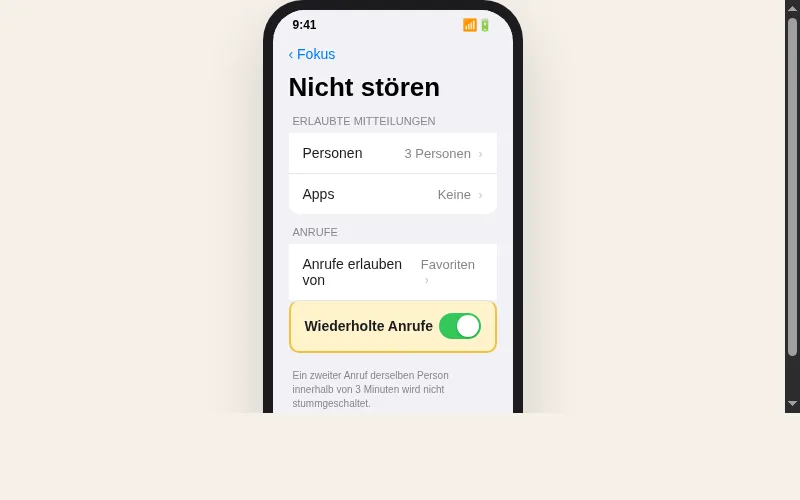
Step by Step:
- Open Settings - Focus - Do Not Disturb
- Tap People (or “Allow Calls From”)
- Scroll down to Repeated Calls
- Enable the toggle
What happens: If the same number calls twice within 3 minutes, your iPhone rings — regardless of whether Silent, Do Not Disturb, or any other Focus is active.
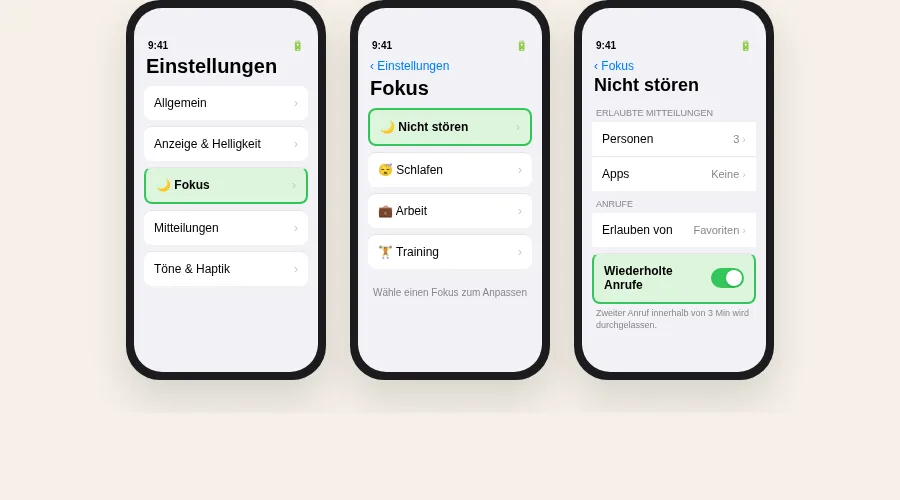
Tip: This setting applies to all Focus modes — including Sleep, Work, or custom Focus profiles. You only need to enable it once.
How to Set It Up on Android
On Android, the feature is called “Allow repeat callers” and is found in the Do Not Disturb settings.
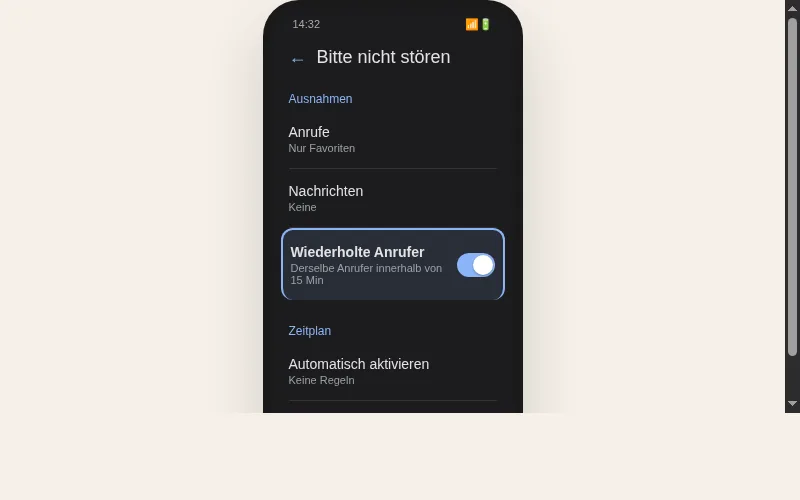
Step by Step:
- Open Settings - Sound & Vibration - Do Not Disturb
- Tap Calls (or “Call exceptions”)
- Enable Allow repeat callers
What happens: If the same number calls twice within 15 minutes, your Android phone rings despite Do Not Disturb.
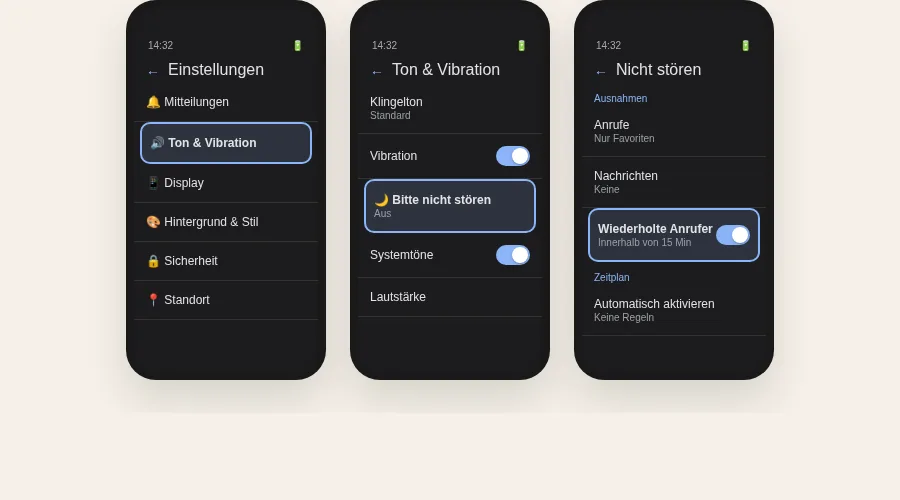
Note: The exact location may vary slightly depending on manufacturer (Samsung, Pixel, Xiaomi, etc.). Just search for “repeat callers” in settings — you’ll find it.
Why This Matters for Dog Owners
Imagine this situation:
You’re sitting in a restaurant. Your dog waits leashed outside the door — they like it, they’re used to it. A passerby sees your dog is restless. Maybe it’s too warm. Maybe they’re barking. The passerby scans the QR code on the collar.
With notok.dog, here’s what happens:
- The finder sends you a message through the profile
- You get a WhatsApp notification (Messenger tier)
- If you don’t respond: after a few minutes, an automatic phone call follows
- The call is repeated — and thus breaks through silent mode
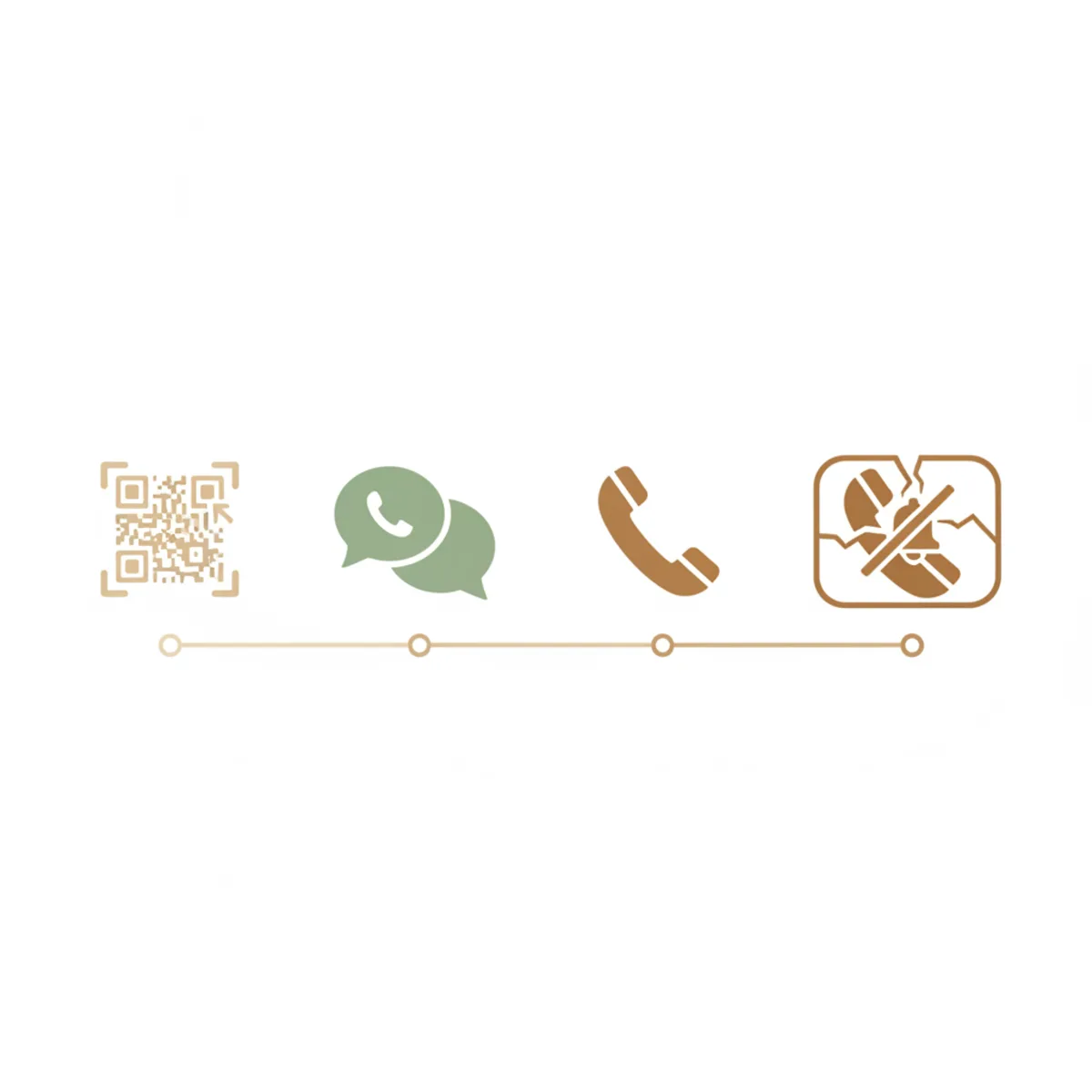
Your phone rings. In the cafe, in the meeting, at the movies. Exactly when it matters.
Not Just for Dogs — for the Whole Family
This feature is relevant for anyone who needs to be reachable even when their phone is on silent:
- Parents who want to be reachable when daycare or school calls
- Caregivers who can’t miss emergency calls from seniors
- People living alone whose emergency contacts need to get through
- Remote workers who work in Focus mode but want to stay reachable for real emergencies
The setup takes 30 seconds. And it can make all the difference.
The Three Levels of Reachability with notok.dog
| Basic (free) | Messenger ($6.70/year) | Full Protection ($17.20/year) | |
|---|---|---|---|
| Email notification | Yes | Yes | Yes |
| WhatsApp / SMS | — | Yes | Yes |
| Automatic phone call | — | — | Yes |
| Escalation levels | — | — | Yes |
| Breaks through silent mode | — | — | Yes |
With Full Protection, you configure the escalation yourself: first WhatsApp, then call after 3 minutes, then another call. You decide the order, wait times, and channels.
Checklist: Set Up in 2 Minutes
- iPhone: Settings - Focus - Do Not Disturb - Repeated Calls - On
- Android: Settings - Sound - Do Not Disturb - Repeat Callers - On
- notok.dog profile created and QR code printed or ordered
- Full Protection activated for automatic call escalation
- QR code attached to collar, leash, or carrier

Conclusion: Silent Doesn’t Mean Unreachable
Putting your phone on silent isn’t a mistake — it’s everyday life. In meetings, at the movies, at dinner. But when your dog is waiting outside and someone helps, the call needs to get through.
The technology for it is already in your phone. You just have to turn it on.
And with notok.dog, the escalation feature ensures the call doesn’t come just once — but as many times as needed until you hear it.